Sell More with a
Smart Product QuizWorks with Shopify & WooCommerce
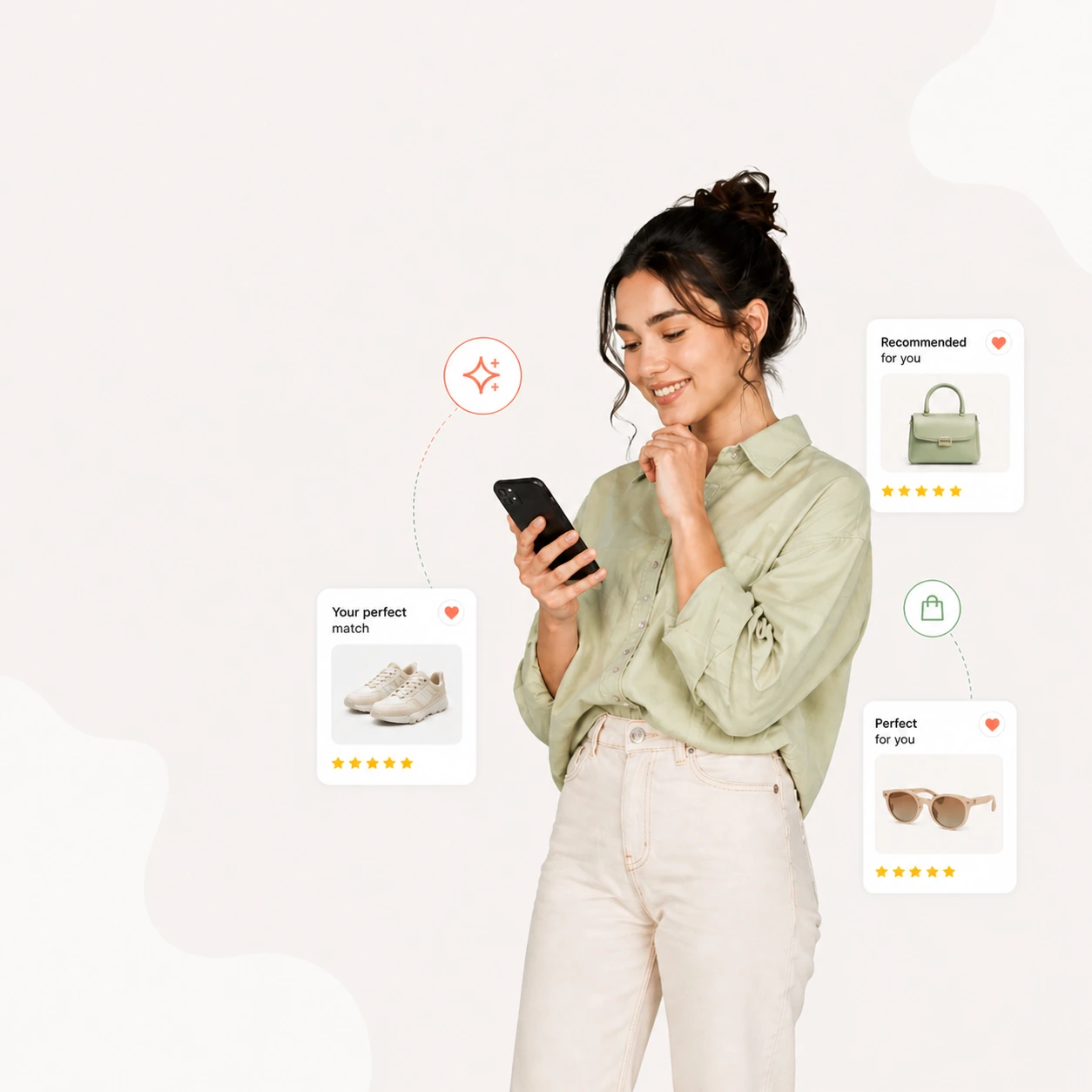
Shoppers who can’t decide leave without buying. ShopperQuiz helps you ask them a few quick questions and recommend the products that fit them best, so they buy with confidence and you turn more visitors into customers.
No credit card required · Free plan available
 Shopify
 WooCommerce
This month
1,248 responses
Cart conversion
78%
↑ 32%
See it in action
Watch a quiz find the perfect match
A shopper answers a few questions and the voting engine ranks their best-fit products live. Pick a theme below — the widget restyles instantly, no code.
What's your skin type?


Connects with your stack
14 integrations live today — every one works the same on Shopify and WooCommerce.
ShopifyWooCommerce Klaviyo
 Mailchimp
 HubSpot
 Resend
 Google Analytics 4
 Meta Pixel
 TikTok Pixel
 Zapier
 Webhooks
 Subscriptions
 Product reviewsShopifyWooCommerceKlaviyoMailchimpHubSpotResendGoogle Analytics 4Meta PixelTikTok PixelZapierWebhooksSubscriptionsProduct reviews
How it works
Three steps to smarter recommendations
No complex logic trees. Just questions, votes, and personalised results.
Build with AI or manually
Describe the quiz you want and AI drafts it in seconds, ask Ana to build it with you by chat, or build it yourself in the visual editor.
Shoppers take it
The quiz embeds on your storefront via a Shopify block or WooCommerce shortcode. Works on any page.
They get matched
The voting engine tallies scores across all answers and surfaces the best-fit products for each shopper.
The voting engine
Not a decision tree. A scoring engine.
Every answer casts votes for products, collections, or tags. Then filters, budgets, and include/exclude rules refine the pool — and the top-ranked survivors become the recommendation. It’s why results feel earned, not random.
Answers cast votes
Products, collections, or tags
Filters narrow the pool
Disqualify by scope or price
Products outside the collection are permanently removed — even ones with votes.
Set min/max per answer. Matched against your synced prices — no store setup.
Disqualified
Include, exclude & rank
Pin, remove, then order by score
Why it works
From overwhelmed to “that’s the one”
A wall of products makes shoppers hesitate — and leave. A quiz replaces the whole catalog with a short, ranked answer. Drag to compare.
Your personalised recommendation
Thank you for taking the quiz
Here are your results — a routine built from your answers.
Your recommendations
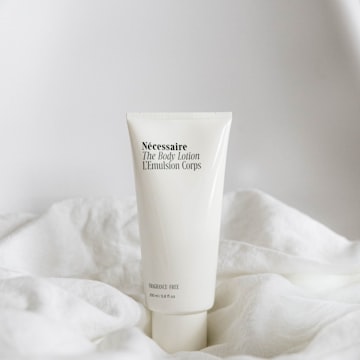
Radiance Serum
$42.00
Brightening · Vitamin C
A lightweight vitamin-C serum that evens tone and revives dull, tired skin with a visible morning glow.
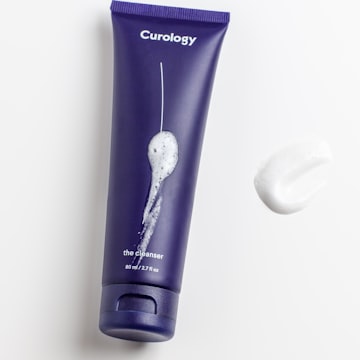
Daily Moisturiser
$36.00
Hydrating · Barrier
A featherlight cream that locks in moisture and strengthens the skin barrier without any greasy residue.
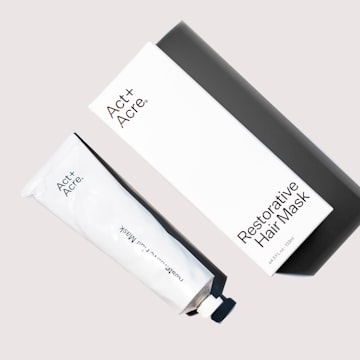
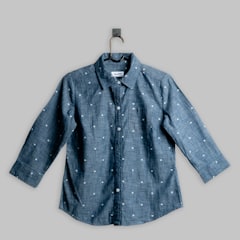
Balancing Toner
$28.00
Hydrating · Pores
A gentle toner that refines the look of pores and preps skin so everything after it absorbs better.
Order summary
Radiance Serum
$42.00
Daily Moisturiser
$36.00

40 products. Where do I start?
Too many options — most shoppers leave.
Less to scroll
Four ranked picks instead of forty tiles to sift through.
More confidence
Recommendations feel earned, so shoppers commit faster.
Fewer returns
The right product the first time means fewer sends back.
Features
Everything you need to convert shoppers
From AI-generated quizzes to a voting engine that ranks products — built for merchants who want results, not complexity.
AI Quiz Builder
Describe the quiz you want and AI drafts it from your real catalog in seconds — questions, answers, vote weights, filters, and sections.
Voting Engine
Every answer votes for products. The top-voted items become personalised recommendations — no branching logic needed.
Filter & Budget Questions
Permanently narrow the product pool by collection, tag, or a price range per answer — matched against your synced prices, so only eligible products reach the results.
Include & Exclude
Pin specific products to the top of the results for an answer, or remove them entirely. Exclude always wins over include.
Email & CRM Sync
Send every answer to Klaviyo, Mailchimp, or HubSpot as profile data you can segment on — with a quiz-completed event to trigger flows. Opted-in shoppers join your list.
Email Results (Resend)
Send each shopper a branded email of their recommended products — from your own domain via Resend, seconds after they finish.
Analytics & Revenue
Track completion rates, drop-off by question, cart conversion, and revenue attributed to each quiz.
Skip & Jump Logic
Build smart quizzes with conditional paths. Skip irrelevant questions or jump to the right one based on answers.
Fully Customisable
Match your brand perfectly. Colors, fonts, button styles, answer layouts — all configurable without code.
Add to Cart & Checkout
Shoppers pick an option, add one or several, and check out straight from the results screen — native Shopify and WooCommerce carts, no redirect.
Product Sync
Products, collections, and tags sync automatically via webhooks and stay cached — no live API calls, no stale data.
Product Reviews
Star ratings, review counts, and a Top rated badge on every recommendation — read from Judge.me, Yotpo, Loox, Okendo, Stamped, or WooCommerce reviews. Every plan.
Subscribe & Save
A one-time or subscribe choice on every recommended product with a plan — Recharge and every Shopify subscription app, or WooCommerce Subscriptions.
Ad & Analytics Pixels
Quiz events and real purchase revenue for Google Analytics 4, Meta, and TikTok — sent from our servers, so ad blockers don’t stop them.
Ana Builds With You
Tell Ana what you want in the Quiz Builder and she does it — questions, votes, filters, logic and design — saved only when you say so. She also answers any question in your dashboard. Every plan.
Quiz Check
Follows every route a shopper can take and flags what would lose them — dead ends with no products, questions no one sees, missing answers — with a link straight to the fix.
Image Library & Icons
Every image in one library with AI-written descriptions for alt text, plus built-in line icons in any colour — free on every plan.
Results that sell
Sell more from the results screen
A recommendation is only half the job. On the results page, shoppers see what other customers think, pick the exact option they want, choose to subscribe, and check out — without leaving the quiz.
- Review stars & Top rated badge. Read from the reviews app you already use — nothing to connect.All plans
- Every option, on the results page. Shoppers pick a size or colour, then Add another option to buy more than one.All plans
- Subscribe & save. Your delivery frequencies and subscription price, with the plan applied at checkout.Starter+
- Native cart & checkout. Everything lands in your store’s own cart — subscriptions and one-time items together.All plans
Works with
RechargeShopify Subscriptions Skio
Skio LoopStay AISmartrrAppstleSealWooCommerce SubscriptionsJudge.me
 Yotpo
Yotpo Loox
Loox Okendo
 StampedWooCommerce reviewsTop rated
Radiance Serum
Daily Moisturiser
A featherlight cream that locks in moisture without any greasy residue.
Order summary
Analytics & revenue
See exactly what your quiz earns
Every response is tracked end to end — from the first question to checkout. Watch completion rates, spot the exact question where shoppers drop off, and attribute real revenue to each quiz.
- Completion & drop-off. Find the question losing shoppers and fix it.
- Cart & checkout funnel. Track started → completed → cart → checkout.
- Revenue attribution. Know the revenue and AOV each quiz drives.
- Top recommended products. See what the engine surfaces most.
Revenue card on Starter · full charts on Growth · Revenue Intelligence on Pro
Explore analyticsResponses
1,248
+18%Completion
82%
+4%Revenue
$14.2k
+31%Responses over time
Conversion funnel
Top recommended
Every response, in detail
See what each shopper answered
Beyond the totals, browse every individual response. Filter by quiz, status, or date — then expand any row to see the exact answers a shopper gave and the products the engine recommended them.
- Full answer trail. The questions and options each shopper selected.
- Recommended products. What they were shown, with price and image.
- Carts & purchases. What each shopper added to cart, and what they actually bought.
- Search, filter & export. By quiz, status, and date — then export to CSV.
Individual response details on Starter and above
Answers given
Recommended
Built for your catalog
Made for stores where fit matters
When the right product takes more than a glance to find, a quiz turns hesitation into confident purchases.
Haircare & beauty
Match shoppers to the right oils, serums, and routines by hair or skin type and concern.
Skincare
Recommend a regimen from skin type, sensitivities, and goals — no more guesswork at the shelf.
Supplements & wellness
Guide customers to the right stack by goal, diet, and lifestyle with filter-gated results.
Coffee, tea & food
Find a roast, blend, or bundle by taste, brew method, and strength preference.
Fitness & equipment
Route shoppers to the right gear by experience level, space, and training goal.
Fashion & apparel
Personalise by fit, style, size, and occasion — turn browsers into confident buyers.
Home & lifestyle
Recommend the right piece by room, material, and taste across a broad catalog.
Pet & specialty
Personalise by breed, size, age, or dietary need — for catalogs where fit really matters.
Electronics & gadgets
Guide shoppers to the right device by use case, budget, and compatibility.
…and any store of any type
Whatever you sell, if the right pick takes more than a glance, a quiz helps shoppers get there faster. ShopperQuiz works on any catalog.
ShopifyWooCommerce“Our shoppers used to bounce between eight products with no idea which was right for their hair. The ShopperQuiz widget looks like it was designed for our brand — clean, on-brand, and effortless on mobile. It genuinely feels like part of our store, not a bolt-on tool.”

Ayurvedic haircare
Shopify storePricing
Simple, transparent pricing
Start free, upgrade as you grow. No hidden fees.
Free
150 responses / mo
- Unlimited quizzes
- Full quiz builder & widget styles
- 1 AI quiz generation
- Ana builds with you: 100 AI credits
- Shopify & WooCommerce
- Product review stars
- Core KPI cards
- Email support
- Image uploads & Custom CSS
- Marketing integrations
- Responses page
Starter
500 responses / mo
- Everything in Free
- 5 AI generations / mo
- 600 AI credits / mo
- Image uploads & Custom CSS
- Klaviyo, Mailchimp, HubSpot & Resend
- GA4, Meta & TikTok pixels
- Zapier, Webhooks & API
- Subscribe & save on results
- Responses page & revenue card
- Priority email support
- Analytics charts
- Revenue Intelligence
Growth
1,200 responses / mo
- Everything in Starter
- 20 AI generations / mo
- 1,200 AI credits / mo
- Full analytics charts
- Funnel & drop-off by question
- Answer heatmap & audience profiles
- Priority email support
- Revenue Intelligence
Pro
4,000 responses / mo
- Everything in Growth
- Unlimited AI generations
- 2,000 AI credits / mo
- Revenue Intelligence & AOV trend
- Product conversion funnel
- Subscription analytics
- Priority email, chat & video support
Need more responses?
CustomHigh-volume stores get a tailored plan — everything in Pro, scaled to your volume. Set your monthly responses and see your price instantly.
- Everything in Pro
- Up to Unlimited responses
- Dedicated support
FAQ
Questions, answered
Everything you need to know about the engine, setup, data, and plans before you start.
Product
Most quiz tools use branching logic — answer A shows product X. That breaks the moment you have more than a handful of products. ShopperQuiz uses a voting engine: every answer assigns votes to products, collections, or tags, and the top-scored products win. Recommendations account for the whole quiz, not just the last answer.
Describe the quiz you want — your product type, how you want to segment shoppers, roughly how many questions — and the AI generates the full structure: questions, answer options, vote weights, filters, and sections. You then review and tweak everything in the visual editor — by hand, or by asking Ana to make the changes for you. It is a starting point you own, not a black box.
Yes — that is the point of a voting engine. A product can accumulate votes from many different answers, so it surfaces for every shopper profile it genuinely fits. You are not locked into a single path per product the way a decision tree forces you to be.
A filter question permanently removes products outside a chosen collection or tag before ranking — even ones with votes. A budget question does the same by price range, matched against your synced prices with no store setup. Both narrow the pool progressively, so results always stay relevant.
Yes. On any answer you can Include a product to pin it to the top of the results, or Exclude one to remove it entirely. If a product is both included and excluded across answers, exclude always wins.
Setup
No. You build quizzes in a visual editor (or generate them with AI), style the widget without CSS, and embed it with a Shopify theme block or a WooCommerce shortcode. Custom CSS is available on paid plans if you want pixel-level control, but it is never required.
Shopify and WooCommerce. On Shopify it installs as an app with a Theme App Extension and syncs products, collections, and tags automatically. On WooCommerce it is a plugin with a shortcode and Gutenberg block. Each ShopperQuiz account connects to one store.
The widget is fully themeable without code — colors, fonts, button styles, answer layouts, product cards, and the progress bar are all configurable, with a live preview. It renders in an isolated iframe so your theme’s styles never clash with it, and it can still inherit your brand fonts.
No. The widget loads in an isolated iframe and reads from a cached copy of your catalog — it never makes live API calls to your store per keystroke. Product, collection, and tag data syncs in the background via webhooks and stays current automatically.
Yes. Recommended products can be added to cart or taken straight to checkout from the results screen, using the native Shopify and WooCommerce carts — no separate checkout to maintain. Shoppers pick an option (like a size or colour) right there, and can add more than one.
Shopify, WooCommerce, and product review stars (Judge.me, Yotpo, Loox, Okendo, Stamped, or WooCommerce reviews) work on every plan. Klaviyo, Mailchimp, HubSpot, Resend, Google Analytics 4, Meta Pixel, TikTok Pixel, Zapier, Webhooks, the ShopperQuiz API, and subscribe & save (Recharge and other subscription apps) connect on Starter and above.
Data & plans
Yes — 150 responses a month, unlimited quizzes, both platforms, product review stars, one AI quiz generation and 100 AI credits for Ana in the builder, with no credit card required. Upgrade only when you outgrow it. You can change or cancel your plan at any time.
Every plan shows the core KPI cards. Starter adds the Responses page — every answer, recommendation, cart, and purchase — and the Revenue Attributed card. Growth adds the full charts: conversion funnel, drop-off by question, answer distribution, engagement heatmap, and audience profiles. Pro adds Revenue Intelligence: quiz revenue, AOV, the per-product conversion funnel, and subscription analytics.
Yes. Collect name and email on the welcome screen, then sync shoppers to Klaviyo, Mailchimp, or HubSpot with their answers — and connect your own Resend account to email each shopper their recommendations from your own domain. These integrations are available on Starter and above.
Data is stored securely with row-level security on every table. Integrations only receive what you connect and leave switched on — for example, email tools get the answers and recommendations from the quizzes you sync, and a shopper is only subscribed to your list if they tick the newsletter box. You can switch any integration off per quiz.
Your quizzes stop accepting new shoppers until the next month, and visitors see a short “Quiz unavailable” message. Your quizzes, settings, and existing responses are not affected, and upgrading raises the limit straight away. High-volume stores can move to a custom plan.
Yes. Ana, the AI assistant in your dashboard, answers setup and how-to questions on every plan, for free. She is trained on the full ShopperQuiz documentation, knows your plan, quizzes, and connected integrations, and links you to the right guide. In the Quiz Builder she can also build and edit your quiz by chat. A person is always one email away at support@shopper-quiz.com.
Still have a question?
Read the full documentation, or reach the team directly — we usually reply within a day.
Start recommending the
right products today
Join merchants on Shopify and WooCommerce who use ShopperQuiz to personalise their storefront.
Get started for freeNo credit card required · Free plan available