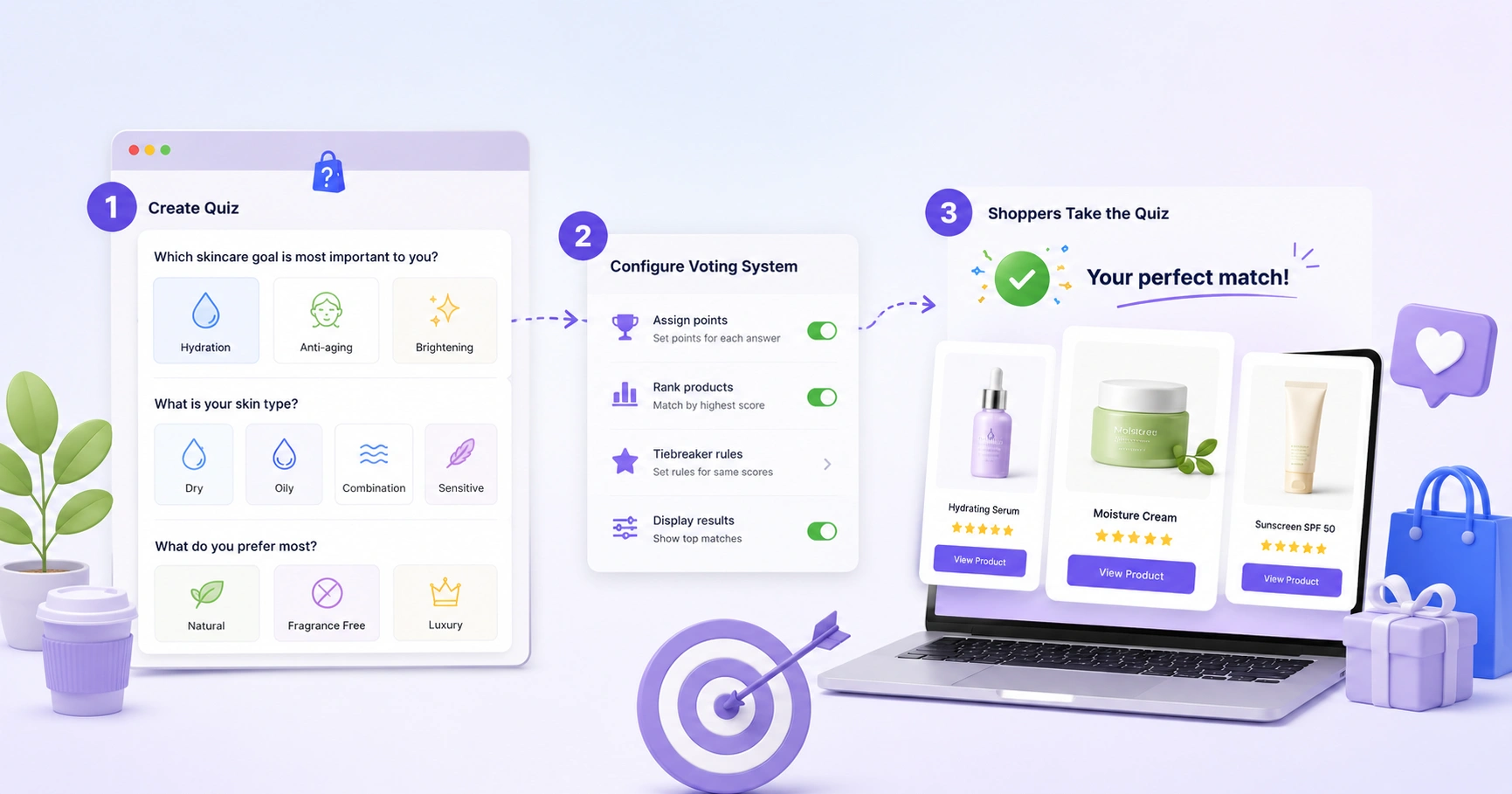
Anyone can add a few questions and call it a quiz. Getting a quiz that produces genuinely great recommendations — the kind shoppers trust and buy from — is about how you use the engine underneath. This is a practical guide to votes, filters, budgets, include/exclude, and skip/jump logic, and how they fit together.
Start with the mental model: votes, not branches
ShopperQuiz ranks products with a voting engine, not a decision tree. Every answer a shopper selects casts votes for certain products (or collections, or tags). Those votes accumulate across the entire quiz. When the shopper finishes, the products with the highest total scores rise to the top and become the recommendation.
This matters because it changes how you think. You’re not writing rules like “if A then show X.” You’re expressing, per answer, which products this answer is evidence for. Get that right and the results take care of themselves.
Design each answer to answer one question: if a shopper picked only this, what would I recommend?
1. Assign votes with intent
Votes are your primary tool. For each answer, give a strong signal 2 votes and a moderate signal 1 vote. Reserve higher weights for answers that are truly decisive.
- Vote for individual products when an answer clearly points to a few specific items.
- Vote for a collection or tag when an answer favours a whole group — this scales as your catalog grows and saves you from listing products by hand.
- Vote for “all products” on neutral answers like “I’m not sure,” so an undecided shopper still gets a sensible spread rather than nothing.
2. Use filter questions to set hard boundaries
Votes are about preference. Filters are about eligibility. A filter question permanently removes products that don’t match — no matter how many votes they earn elsewhere.
Say a shopper selects “fragrance-free only.” Products tagged with fragrance should be gone entirely, even if they’re otherwise a great match. Mark that question as a filter, scope it to the right collection or tag, and those products are disqualified before ranking begins.
- 1Put your highest-stakes segmentation early — hair type, skin sensitivity, dietary restriction.
- 2Each filter narrows the pool further (progressive elimination), so use them deliberately, not on every question.
- 3Think of filters as the outer boundary; votes fill in the ranking within that boundary.
3. Add a budget filter for price-sensitive shoppers
A budget question filters by price range instead of by collection or tag. Set a min and max per answer (for example, Budget: $0–$30, Mid: $30–$60, Premium: $60+) and products outside the shopper’s range are removed — matched against your synced store prices, with no extra setup.
Budget filters pair beautifully with votes: the shopper still gets the best products for them, just constrained to what they’re willing to spend. Nothing frustrates a shopper more than falling in love with a recommendation they can’t afford.
4. Fine-tune specific products with include & exclude
Sometimes you want surgical control over a single answer’s results. That’s what include and exclude are for.
- Include pins a specific product to the top of the results when that answer is chosen — perfect for a hero product or a new launch you want to feature.
- Exclude removes a specific product entirely for that answer — useful when a product is technically eligible but wrong for that shopper.
5. Guide the path with skip & jump logic
Not every question is relevant to every shopper. Skip and jump logic keeps the quiz feeling smart and short.
- Skip — when an answer is chosen, specific later questions are hidden. If someone says “I don’t use heat tools,” skip the follow-up about heat protection.
- Jump — when an answer is chosen, jump straight to a specific later question, bypassing everything in between.
Both are forward-only, and votes from skipped questions aren’t counted — which is exactly what you want. Use them to trim irrelevant questions so no shopper answers more than they need to.
6. Handle multiple-select cleanly with a “None” option
On multiple-select questions (“Which concerns apply to you?”), always add a “None of the above” option. Marked as the None option, selecting it clears and locks out the other choices — so a shopper who relates to none of them can still move on without skewing their votes.
Putting it together: a worked example
A strong skincare quiz might use every tool at once:
- 1Q1 — Skin type (single select): votes toward matching product types.
- 2Q2 — Concerns (multiple select, with a None option): more votes, layered on top.
- 3Q3 — Sensitivities (filter): removes fragranced products for sensitive skin.
- 4Q4 — Budget (budget filter): constrains to the shopper’s price range.
- 5Q5 — Routine length (with skip logic): “keep it simple” skips the advanced-step question.
The result: eligible, on-budget, sensitivity-safe products, ranked by how well they match the shopper’s type and concerns — with your hero serum pinned to the top where it fits. That’s a recommendation a shopper believes.
The habit that matters most
Even a perfectly built quiz improves with iteration. After launch, watch drop-off by question (rewrite anything that loses shoppers), top recommended products (rebalance votes if one dominates), and revenue by path (double down on what converts). The best quizzes aren’t built once — they’re tuned.
Build a quiz that recommends brilliantly
Votes, filters, budgets, include/exclude, and skip logic — all in one visual builder. Free plan available, no credit card required.
Start free